The Layoff Lady
  • Blog
  • Seven Layoffs Book
  • Events
  • Media
  • About
  • Contact
Picture

How To Create Your Professional Portfolio in Five Easy Steps

9/24/2024

0 Comments

 
By Brenda L. Peterson, The Layoff Lady

Where Do I Even Start?

If you work in an industry where potential employers want to see examples of your previous work, putting together a portfolio is a good idea. As someone who works in the field of learning and development, I know that it's valuable for me to have additional evidence to prove that I actually have all of those skills I brag so much about on my resume. Whether you're job searching or building your overall career resilience and opportunity readiness, having an online portfolio is a good step to take.

Like any new endeavor, figuring out where to start can be challenging. There are countless options, and even more opinions, on what the ideal portfolio looks like. Here is my five-step process for helping you to create a portfolio that works for you.

Step 1: Identify Your Goals

This is the step you might be tempted to skip. However, if you don't take a little time to figure out what you're trying to accomplish with your portfolio, you most certainly won't reach your goals.

Here are a few questions to ask yourself to help you clarify what you want:

  • Who do you want to see your portfolio?
  • When do you want them to access your portfolio?
  • Which of your skills do you want to showcase?
  • What stories are you trying to tell?

Depending on your answers to these questions, your goals may include one or more of the following:

  • Have work samples available on-demand.
  • Share lessons learned with select people.
  • Tell the story of past projects.
  • Showcase evidence of specific work skills.
  • Support a job search.
  • Build opportunity readiness.​

The answers to these questions will influence your portfolio creation choices.

Step 2: Decide What To Include

The specific content you include in your portfolio will depend on your overall goals. In my chosen field of learning and development, here are a few of the kinds of work samples I might want to include:

  • Communications plan
  • eLearning module
  • Facilitator guide
  • Job aid
  • Learning strategy document
  • PowerPoint presentation
  • Project plan
  • Storyboard
  • Technical documentation
  • Video
  • Webinar recording

Remember, your portfolio is not just about the documents you include. It's also about the story you tell about how you solved a problem and how the artifact you include supports that narrative. 

Step 3: Gather Work Samples

Once you have identified your goals and thought about the skillset you want to showcase, it's time to choose the specific documents you will include. Here are a few possibilities for locating or creating your actual work samples:

  • Class projects
  • Previous work (anonymized as needed)
  • Projects completed for other organizations
  • Publicly available resources
  • Re-creations of past work
  • Sample projects
  • Work samples created as a part of a hiring process

Whether you have existing documents you used in previous roles, re-create samples similar to past work projects, or re-purpose project documents created as part of another interview process, determine what you will include.

Step 4: Choose and Implement Technology

Since you are creating an online portfolio, choosing the underlying technology is an important step. While there are countless options available, here are three viable choices to consider:
​
  • A file-sharing platform: Using Google Drive, DropBox, or OneDrive is a way to stand up a portfolio quickly. You can enable sharing for anyone with the link or set permissions for each person who you might want to access your work. If you have a Gmail account, you already have access to Google Drive without any extra cost.
  • A Canva portfolio: Canva includes templates to create a free portfolio. Canva provides video tutorials and several examples from which to choose. Overall, this is a website with a specific focus. While there will be a bit of a learning curve to set up the site, you'll also have additional options for including the story behind each work sample instead of just a list of documents. 
  • A website: While most people think of WordPress when they think of website creation, tools like Weebly and Wix have free options with more user-friendly interfaces. You can create a website with multiple pages or a page on an existing website accessible by a direct link. Websites have various options, meaning you have more control over how you create a site but have many more decisions to make upfront.  

Step 5: Share Your Portfolio. 

Depending on your goals, you may have your portfolio as a website that someone could discover on their own or a link that can only be accessed after you share it with someone. Regardless of your portfolio format, there are a few cases where you will proactively share your portfolio link: 
​
  • In a job application.
  • Included with your contact information in your LinkedIn profile.
  • As a link at the top of your resume or cover letter document shared online.
  • In an email to a colleague or hiring manager.

Make Your Portfolio 1.0

At this point, you may be excited about all the possibilities and overwhelmed with uncertainty. Here's my recommendation for creating at least a starter portfolio for yourself.

  • If needed, create a Gmail account, then access Google Drive.
  • Create a folder called [FirstName]  [LastName] Portfolio. In my case, Brenda Peterson Portfolio. 
  • Upload six documents you created that showcase your skills. 
  • Set sharing options to view only and copy the link for later use.

Congratulations. You now have a portfolio. Take a week off from looking at it, and then make an appointment with yourself to revisit your portfolio goals and next steps. 

What Do You Think?

What goals and design choices did you make with your online portfolio? Include your thoughts in the comments. 

Learn More

  • The Layoff Lady: Work Samples and Portfolios: Getting Started
  • The Layoff Lady: Work Samples and Portfolios: Your Why and Your Goals
  • Using Google Drive: The Basics
  • Canva's Free Portfolio Website Builder
  • ​The Layoff Lady's Ultimate Guide To Answering The Question, "I Just Got Laid Off--Now What Do I Do?"​
  • The Layoff Lady Book: Seven Lessons From Seven Layoffs: A Guide​​
0 Comments

Your comment will be posted after it is approved.


Leave a Reply.

    Picture
    Check out
    ​The Layoff Lady's Ultimate Guide To Answering The Question, "I Just Got Laid Off--Now What Do I Do?"

    Picture

    Author

    7-time layoff survivor Brenda L. Peterson, The Layoff Lady, waxes poetic on layoffs, job transitions, & career resilience.

    Buy The Book!
    Picture
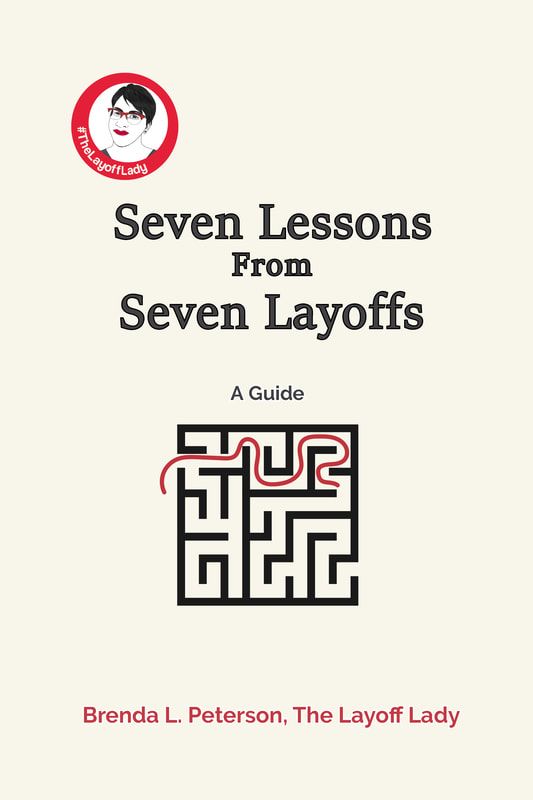
    Were you recently laid off? Need a roadmap for what's next? Or planning just in case? Check out my book, Seven Lessons From Seven Layoffs: A Guide!​

    Categories

    All
    Career Resilience
    Career Transition
    Compensation
    Contingency Planning
    Energy Management
    Experience Your Emotions
    Health Insurance
    Interviewing
    Job Applications
    Job Searching
    Just Laid Off
    Layoff Book
    Layoff Finances
    Layoff Lessons
    Learning And Development
    LinkedIn
    Portfolio
    Professional Networking
    Resume
    Salary Range
    Self Awareness
    Self Care
    Seven Layoff Lessons
    Support System
    Survival Budget
    Telling Your Story
    Time Management
    Work Samples

    Archives

    November 2025
    October 2025
    September 2025
    August 2025
    July 2025
    June 2025
    May 2025
    April 2025
    March 2025
    February 2025
    January 2025
    December 2024
    November 2024
    October 2024
    September 2024
    August 2024
    June 2024
    May 2024
    April 2024
    March 2024
    February 2024
    January 2024
    December 2023
    November 2023
    October 2023
    January 2023

Brenda L. Peterson, The Layoff Lady Copyright ©2025
  • Blog
  • Seven Layoffs Book
  • Events
  • Media
  • About
  • Contact